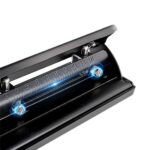
Adjustable Metal Paper Hole Puncher, 2/3/4 Hole
Price range: $18.99 through $21.85
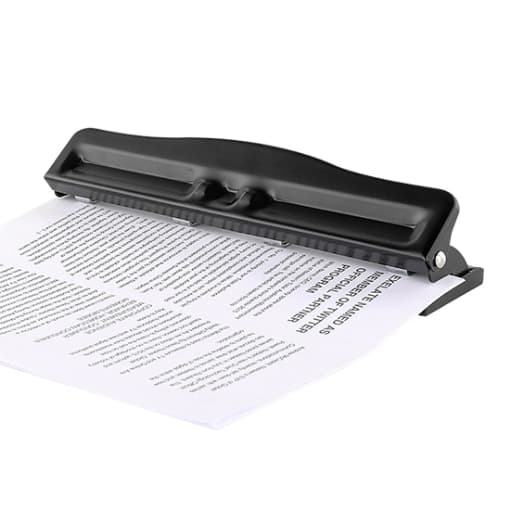
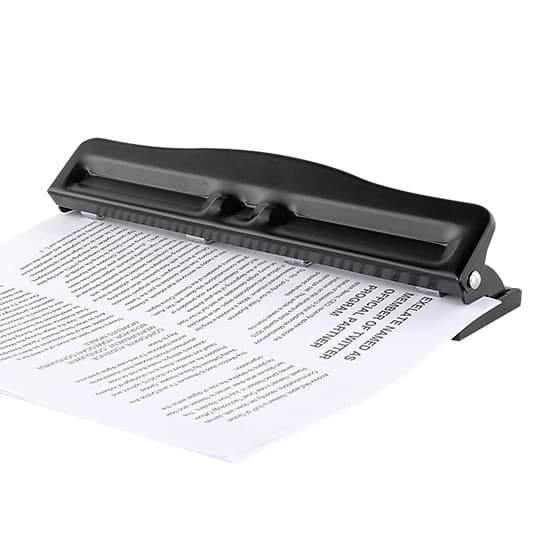
The the adjustable metal paper hole puncher is a versatile and durable tool designed to meet all your paper punching needs. Whether you need a 2-hole, 3-hole, or 4-hole puncher, this tool offers the flexibility to adjust the punching configuration based on your project requirements, making it perfect for office work, school projects, or organizational tasks.
The 3-hole puncher can also be conveniently adjusted to a 2-hole puncher, providing further versatility and convenience for users who need to switch between configurations on the go. Its sharp, precision-engineered cutting edges ensure clean, effortless punches every time, while the black enamel coating gives the tool a sleek, premium finish. Designed to withstand frequent use, this puncher is built to last and provides reliable performance in any setting. With its adjustable settings, sturdy construction, and sharp cutting ability, the adjustable metal paper hole puncher is an essential tool for anyone who needs precision and flexibility in their paper-punching tasks.
Specification
| Model | T-PHP-999/T-PHP-999D |
| Punch Hole Diameter | 7mm |
| Paper Feed Depth | 12mm |
| Punch Capacity | 10 Sheets |
| Material | Metal with Black Enamel Coating |
| Weight | About 0.6kg-0.7kg |
Features
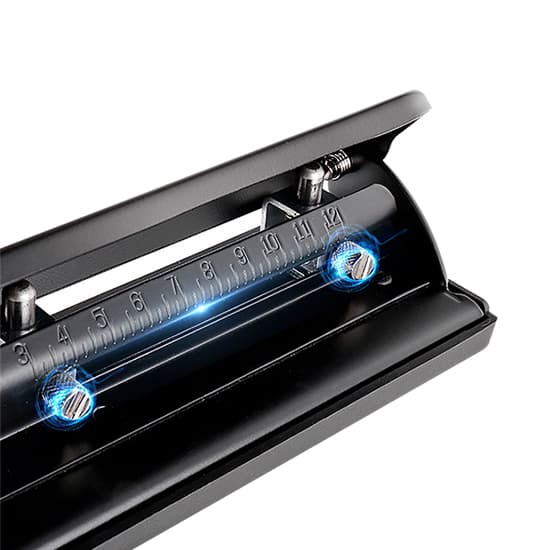
- Adjustable hole distance for easy use
- Black enamel coating for a more premium look
- Made of high-quality steel material, with sharp cutting edges, sturdy and durable
Details
Dimensions
Tips: How to use a paper hole puncher?
Using a paper hole puncher is a simple process, but it’s important to follow the correct steps to ensure clean and precise holes. Here’s a step-by-step guide on how to use a paper hole puncher effectively:
- Select the Correct Punch Configuration
If you’re using a multi-hole puncher (e.g., a 2/3/4 hole punch), first adjust the puncher to the required configuration. For instance, if you need a 2-hole punch, ensure the puncher is set to that setting. Many multi-hole punchers allow you to adjust the punch heads to different positions, depending on your needs. - Choose the Right Hole Distance
For adjustable hole distance models, adjust the spacing between the holes to match your project or filing system. The puncher may have guides or scales to help you set the correct distance between the holes. Make sure the holes will align properly with the binder rings or filing system you plan to use. - Align the Paper
Place the paper on the puncher, making sure the edge of the paper is aligned with the built-in guide or markings on the puncher. Most hole punchers have a paper guide that helps position the paper accurately, ensuring that the holes are punched in the correct place. If your puncher has a paper stopper, use it to ensure that all the papers are aligned consistently. - Press the Handle
Hold the paper securely in place and press the handle down firmly. The puncher will push the cutting blades through the paper and create holes. For manual models, apply steady, even pressure to ensure a clean punch. If you’re punching multiple sheets of paper at once, make sure the puncher is rated for the number of sheets you’re punching (e.g., a 10-sheet puncher). - Release the Handle and Remove the Paper
Once the holes are punched, release the handle and remove the paper. You’ll see the holes neatly punched through the paper. If you’re using a 3-hole puncher, you might have to punch in separate actions if the puncher does not support simultaneous punching for more sheets. - Empty the Puncher (Optional)
If your puncher has a paper waste compartment, be sure to empty it regularly to prevent overflow. Some models also have a removable tray for easy disposal of paper scraps. - Repeat as Needed
If you need more holes or to punch more sheets, simply repeat the process.
By following these steps, you can ensure that your holes are clean and precise every time. Always remember to adjust the puncher’s settings according to your specific needs and to maintain it by cleaning or oiling it periodically.
| Hole Punch Quantity * | , |
|---|